





 Written by
 To start using AI in your business, choose one repeated task, give the software accurate information, check its work, and measure whether it helps. A Dallas plumber might start by drafting replies to estimate requests. A cleaning company could organize inquiries before scheduling a visit. A retailer might help shoppers find the right product. You can try a useful first task before committing to a larger system.
The important distinction is what you want the software to do. Writing a reply for you to check is a simple starting point. Answering customers, confirming appointments, or updating customer records needs more setup because the software must follow your business rules and work with your existing systems.
This guide explains both routes, with a worked example, software choices, costs, client examples, and Dallas learning resources. It draws on Bless Web Designs’ website chat projects for UltraTrack and Go & Drive. Their reported results and measurement limits appear below; the other business scenarios are examples you can adapt.
| What is slowing you down? | A useful first project | What to count |
|---|---|---|
| Writing the same replies | Draft answers from your approved business information | Time spent, including corrections |
| Missing calls or website inquiries | Capture the request and offer a clear next step | Qualified inquiries and completed bookings |
| Preparing estimates | Organize job notes into your existing template | Time to send an accurate estimate |
| Forgetting follow-up | Record the next action and remind the right person | Estimates accepted and replies received |
| Repeating office work | Summarize notes or prepare a weekly report | Staff time and errors |
Try your first AI task: reply to an estimate request
Start with a job whose answer you can judge yourself. Drafting a customer reply is useful because you already know your services, tone, and booking rules. The first attempt can use fictional details, without connecting your inbox or sharing customer records.
Here is a worked example for a small painting business. The business details are fictional; replace them with your own before using the instructions.
1. Write down the facts the assistant may use
Suppose your company handles interior residential painting in Dallas and Richardson. You arrange estimate visits after learning more about the job. You need the ZIP code, rooms involved, wall condition, photos, and preferred timing. You do not quote a price or promise a start date before the estimator checks the work.
These facts are more useful than a vague instruction such as “act like a sales expert.” Keep a short, approved information sheet with your actual services, service area, hours, prices you are comfortable publishing, booking rules, and contact details. Date it and name the person responsible for updates.
2. Give it a sample inquiry and a clear request
Open an AI assistant your business permits you to use. Try the free version with this fictional example first. You do not need to buy several subscriptions to compare a draft with something you could write yourself.
Copy and adapt these instructions:
Help me draft a reply for our painting business. Use only the facts below. If information is missing, ask for it. Do not invent prices, availability, discounts, or a confirmed appointment.
Business facts: We paint residential interiors in Dallas and Richardson. An estimator confirms the scope, price, and schedule. Before arranging an estimate visit, we collect the ZIP code, rooms, wall condition, photos, and preferred timing.
Customer inquiry: “We need the living room and hallway painted at our Richardson home. There are a few cracks. Can you start next week, and what would it cost?”
Write a friendly reply under 120 words. Acknowledge the request, ask for the missing information, and explain the next step. List separately anything our estimator needs to check. This is a draft for a person to approve.

3. Check the answer against the business facts
A suitable checked reply could read:
Thanks for reaching out. We can help you take the next step with your living room and hallway project. Please send your ZIP code, photos of the rooms and cracks, and a couple of times that would work for an estimate visit. Our estimator will review the wall condition and work needed before confirming a price or start date. Let us know whether next week is your preferred timing or a firm deadline, and we can discuss what is possible.
Check that the draft has not diagnosed the cracks, guessed a price, or agreed to next week’s work. Correct any wording that does not sound like your business. A helpful draft still needs your judgment.
4. Save the instructions and try a few variations
Try a request outside your service area, a customer who has already supplied photos, and someone asking about a service you do not offer. The assistant should ask only for what is missing. It should say when the business cannot help and avoid repeating questions the customer has answered.
Then time a small batch of replies with and without assistance. Include checking and editing. If you save two minutes writing but spend four fixing errors, simplify the instructions or choose a different task. Once this works, consider whether a form or customer-management system could collect the missing details automatically.
Which AI tools should a small business start with?
Check the software you already pay for before adding another subscription. Your email, scheduling, accounting, or customer-management system may already include the feature you need. Ask the employee doing the work to try it with a real task and explain where it falls short.
There are three sensible starting routes:
- An assistant for work you review. Use it to draft replies, summarize notes, or organize ideas. Copying a checked result into your normal process may be enough at first.
- AI inside existing business software. This can reduce copying between applications, but confirm which subscription includes the feature and what information it can access.
- A configured customer-facing assistant. Website chat, phone answering, booking, and customer-record updates require approved information, connections, testing, and a reliable way to involve staff.
These are examples to help you compare the routes, not a list of subscriptions to buy. Prices below were checked on September 28, 2026, are in US dollars before tax, and can change. Check the linked provider page before purchasing.
| Example | A practical starting use | Price and setup to check |
|---|---|---|
| ChatGPT | Draft replies or turn job notes into a checklist | Free access is available; an individual Plus subscription is $20/month. Business Standard starts at two seats: $25 per user/month on monthly billing, or $20 with annual billing. Connections and implementation are separate considerations. |
| Claude | Organize supplied documents or prepare a procedure or proposal draft | Free access is available; Pro is $20/month. Supply approved source material and check the result. A personal paid account should not be assumed to have the same controls as a managed team account. |
| Gemini in Google Workspace | Help with email and, on suitable editions, documents and meetings | Regular annual-commitment rates are $7 per user/month for Starter and $14 for Standard. These include the Workspace suite. AI features differ by edition; check what your current plan already includes. |
| Microsoft Copilot for business | Assist a team already working in Microsoft 365 | Eligible subscriptions include Copilot Chat. The wider Business add-on has a regular $21 per user/month annual rate, plus a qualifying Microsoft 365 subscription. Check licensing, app access, and any usage charges. |
| Jobber Receptionist | Handle permitted calls, texts, and service bookings in Jobber | Current help lists a $29/month add-on on eligible plans with 30 conversations, then $0.79 per extra conversation; the base plan costs extra. Set up its number, business information, booking permissions, and staff handoff. |
For the painting exercise, choose one assistant you already have access to; a free plan can be enough to learn. If your team uses Google Workspace or Microsoft 365, check its included tools first. Consider a connected receptionist when your goal is to handle real calls or bookings. For work with business records, compare administration, permissions, data handling, and usage limits as well as price.
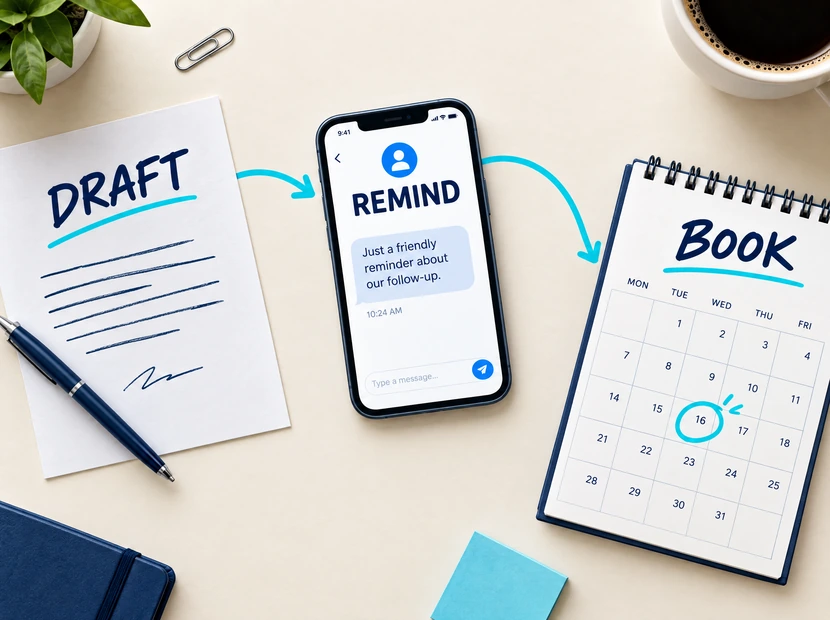
A chat subscription is not a finished booking system
An assistant can write “Tuesday at 2 p.m. works” without having checked anything. A real booking system must read the correct calendar, allow time for the work and travel, avoid conflicts, record the appointment, and send a confirmation. Cancellations and rescheduling need testing too.
Before buying, ask for a demonstration of your actual process: receive an inquiry, check the service area, collect the required details, offer an available visit, save the record, and hand an unusual request to staff. Confirm which steps are included and which require additional software or setup. A tool’s ability to connect with an application does not establish that your particular workflow is ready.
Keep the distinction between AI and ordinary automation clear. A reminder sent three days before an appointment can be a straightforward rule. Interpreting an unstructured customer message may benefit from AI. Choose the simplest reliable method for each step.
What does it cost to use AI in a small business?
A first writing or organizing experiment can often begin with a free account and fictional information. A production system has a different budget. The subscription price is only one line in it.
| Cost to check | Questions to ask |
|---|---|
| Software and seats | Is the price per person? Is there a minimum number of users or an annual commitment? |
| Setup | Who prepares the business information, instructions, phone routing, and connections? |
| Usage | Are calls, minutes, messages, texts, or completed actions charged separately? |
| Other applications | Does booking require a paid calendar, CRM, or field-service plan? |
| Staff time | Who checks conversations, handles exceptions, and trains employees? |
| Maintenance | What happens when services, prices, hours, or software change? |
Ask for the first month’s total, the normal monthly total, and the cost at a busier level of usage. Find out what you can export and what stops working if you cancel. For a configured service, ask who owns the phone number, business information, and customer records.
Count the checking time, too
Suppose an office receives 120 routine questions a month, each taking five minutes. That is ten hours. If an assistant handles 70, it removes 350 minutes of answering. If staff spend two minutes checking each of those conversations, checking adds back 140 minutes. The net capacity released is 210 minutes, or 3.5 hours. These are made-up numbers to explain the calculation.
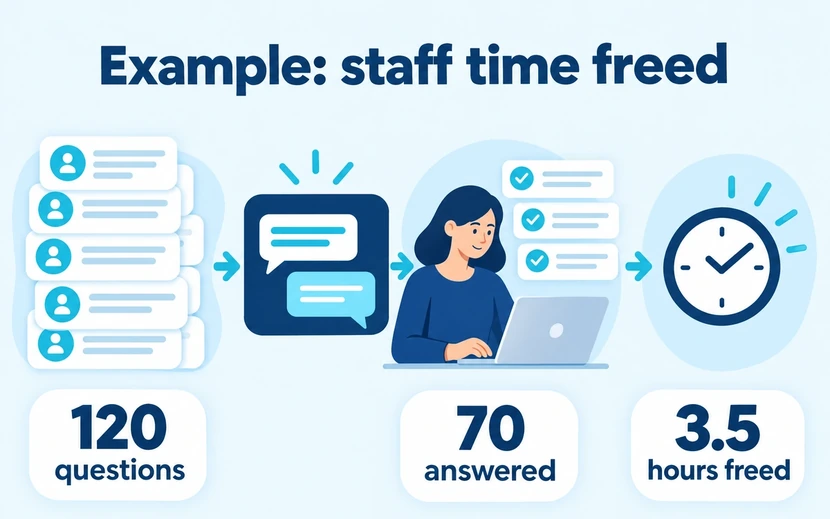
Work out whether the time saved covers the cost
Continue that example with a made-up budget, not a Bless quote or typical market price. Suppose the system costs $120 a month and setup costs $600. If you spread setup over six months, the monthly comparison cost is $220. At an assumed staff cost of $30 an hour, the 3.5 hours released represent $105 of capacity, less than the $220 comparison cost.
That does not automatically mean the project fails: better response times or additional completed jobs may matter too. Count those separately using actual records and contribution after direct job costs. Time released is not necessarily a reduction in payroll. Its value depends on what staff can now do, and whether that work needed doing.
For a small business, a useful first purchase is one you can explain in a sentence: “This helps our office finish checked estimate drafts sooner.” Be cautious about buying a large package before you have identified that job and tested the basic process.
What changed for two Bless Web Designs clients
The following examples draw on Bless Web Designs’ project reporting from December 2025 through August 2026. Nibin Varghese’s role covered design, development, testing, and ongoing improvement. The reported percentages describe increases in overall website conversion after chat was introduced, not the share of customers who used chat.
The project reporting used Google Analytics for website and conversion reporting, Hotjar for reviewing visitor behavior, and Google Search Console, Semrush, and Ahrefs for search visibility and research. Bless attributes the conversion improvements to the chat implementations. These are company-reported project results; the available evidence does not isolate chat’s contribution from every other website or marketing change.
UltraTrack: helping shoppers choose the right part
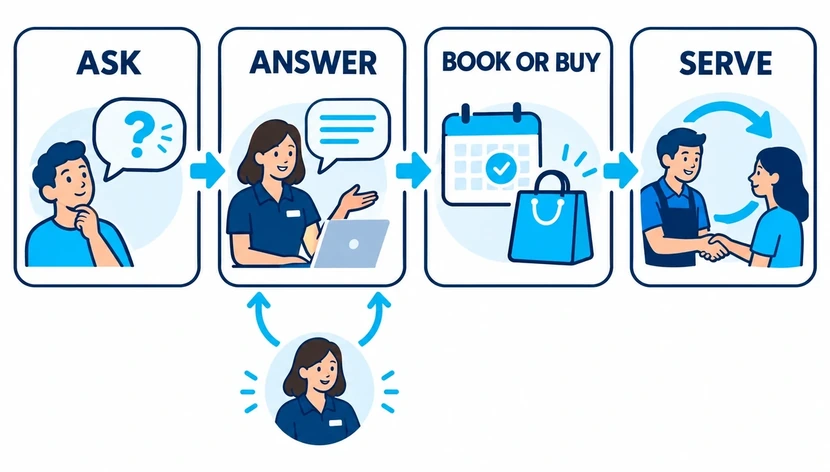
UltraTrack sells rubber tracks and undercarriage parts for compact construction equipment. A buyer may know a machine model or part number but still be unsure about fit. That uncertainty can stop a purchase even when the store has the right product.
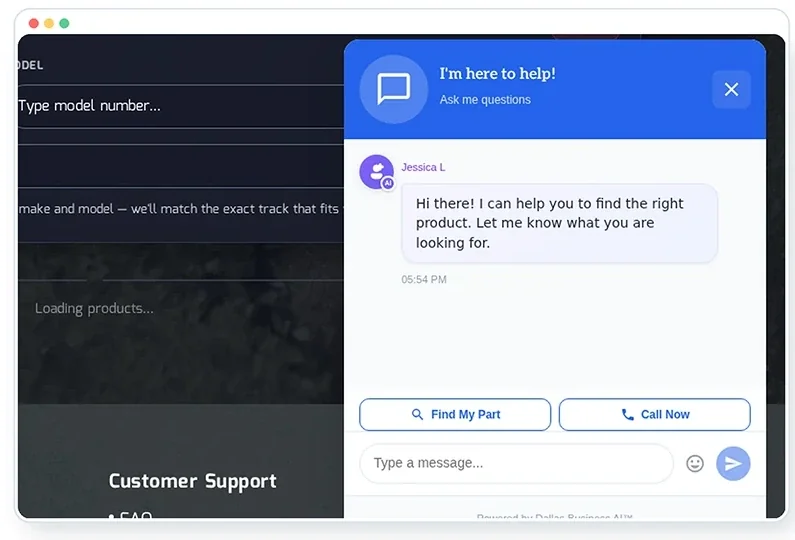
Bless’s published UltraTrack case study describes a shopping assistant that helps visitors find relevant products and reach an expert when fit needs checking. It reports a 23% improvement in purchase conversion associated with the assistant. Here, conversion means a purchase, not opening the chat window or leaving contact details.
The wider project also included a Shopify redesign, Product Finder, search work, and advertising. Its overall sales growth cannot be assigned to the assistant alone. The transferable lesson is to connect a customer’s question with reliable product information and a clear route to someone who can confirm a costly choice.
Go & Drive: answering questions and completing lesson bookings
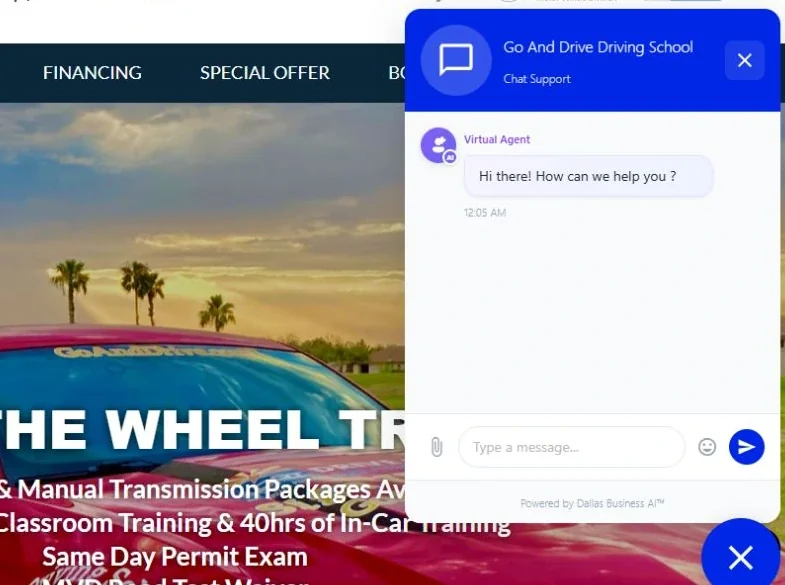
Go & Drive is a driving school in Arizona. Its public website includes a chat tool powered by Dallas Business AI™. According to Bless, the assistant handles routine student questions and lesson bookings, and overall website conversion to lesson signups increased by about 28%.
Employees who previously spent time answering student chat could use that time elsewhere in the school, including work that needed personal attention.
A Dallas appointment-based business could apply the same principle: make the path from question to confirmed booking easier. The information must be specific to that business: locations, services, eligibility requirements, calendar availability, cancellation rules, and the questions staff should answer themselves.
Use AI for calls, customer service, and bookings
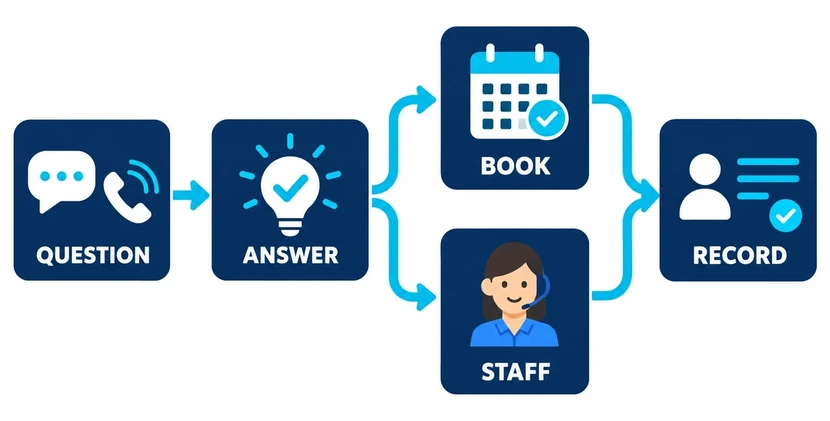
A missed call while you are on a job can become tomorrow’s lost opportunity. Start by finding out what callers actually need. Review a recent sample and separate new inquiries, existing-customer questions, spam, complaints, and urgent requests. That tells you whether you need better call routing, a missed-call reply, an AI receptionist, or additional human coverage.
A website assistant can answer approved questions, collect the details needed for a quote, and help someone reach the next step. A phone assistant needs the same information, plus clear rules for transfers and situations it should not handle. Customers should be able to ask for a person without repeating the entire conversation.

For an HVAC company, routine questions may concern service areas, hours, and maintenance appointments. The assistant can collect a customer’s ZIP code and request. It should confirm visits only through the live scheduling system. Technical diagnosis, safety concerns, and uncertain availability need the company’s approved response and staff involvement.
Write down what counts as a booking. “Your request has been received” is not a confirmed visit. Test whether the office receives the promised information, whether the appointment appears once in the calendar, and whether a customer can change their mind.
Track answered inquiries, completed bookings, attendance, complaints, and wrong answers. Include calls where people gave up or requested staff. A system that produces more conversations without helping customers finish anything may be creating activity rather than useful work.
Follow up on estimates and keep customer records useful
Many service businesses have the information they need, but it is scattered among texts, photos, email, and someone’s notebook. An assistant can organize that material into a consistent job summary. Your customer relationship management system, or CRM, should then show the next action and who owns it.
For a landscaping estimate, the summary might include the customer’s goals, site photos, access restrictions, measurements supplied by staff, and unanswered questions. AI can prepare a draft from the company’s template. The estimator checks quantities, conditions, materials, price, and schedule before anything is sent.
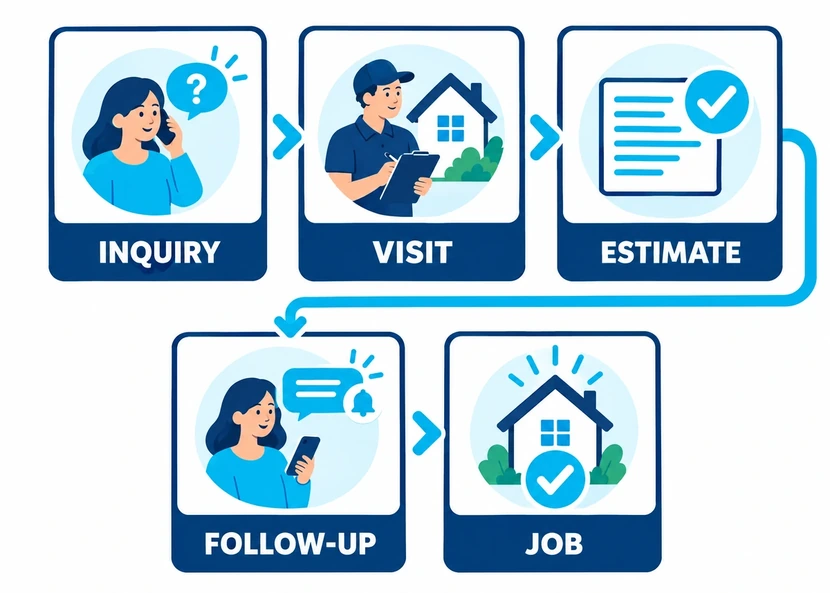
Follow-up is often simpler than it sounds. After sending an estimate, set a reminder for the responsible person or send a message the business has approved. Stop the sequence when the customer replies, declines, or books. Review what happens if they reply in a different channel; a text response should not be followed by an email saying the business has heard nothing.
For a consultant, the same process can turn meeting notes into a proposal outline. It should identify missing decisions and keep exclusions visible. AI should not quietly add a service, change a contract term, or promise a result to make the proposal sound stronger.
Measure time to send an accurate estimate, the number requiring correction, and the proportion accepted. Keep the starting volume and type of inquiries in view: a busier month or a change in job mix can affect the figures even when the process has not improved.
Improve marketing with questions your customers already ask
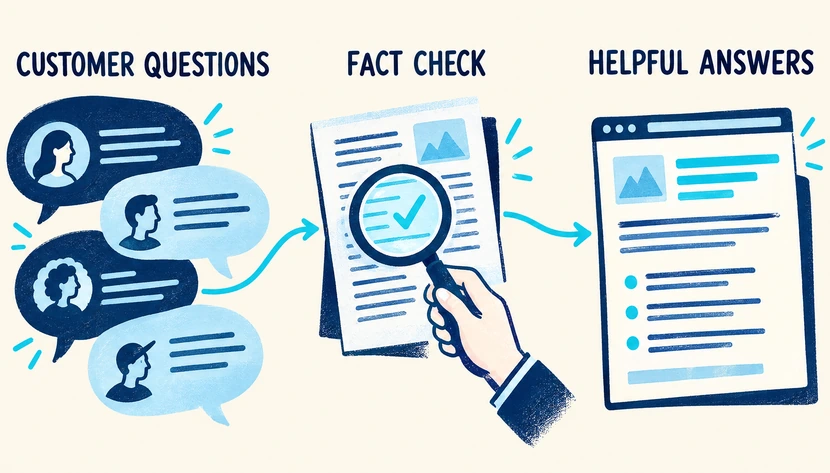
Useful marketing starts with what you know about your customers. Collect recurring questions from calls, estimate visits, email, and reviews. Remove personal details, then ask an assistant to group the questions and suggest which ones your website should answer more clearly.
For a cleaning company, customers may ask whether supplies are included, how a first clean differs from a recurring visit, or what happens when they have pets. A helpful page answers those actual questions using the company’s policies. AI can draft the wording; the business confirms what it promises.
For a painter, ask for an outline explaining how an estimate visit works. Add your own photos, preparation requirements, and the reasons a price can change. That first-hand information gives the page substance. Publishing dozens of similar pages with different Dallas-area city names does not provide the same help.
You can also draft review replies, compare possible advertisement wording, or prepare a returning-customer message. Check names, prices, claims, and tone. Keep a person responsible for sensitive complaints. Review requests should invite honest feedback without incentives or filtering out people likely to be dissatisfied, consistent with Google’s review policy.
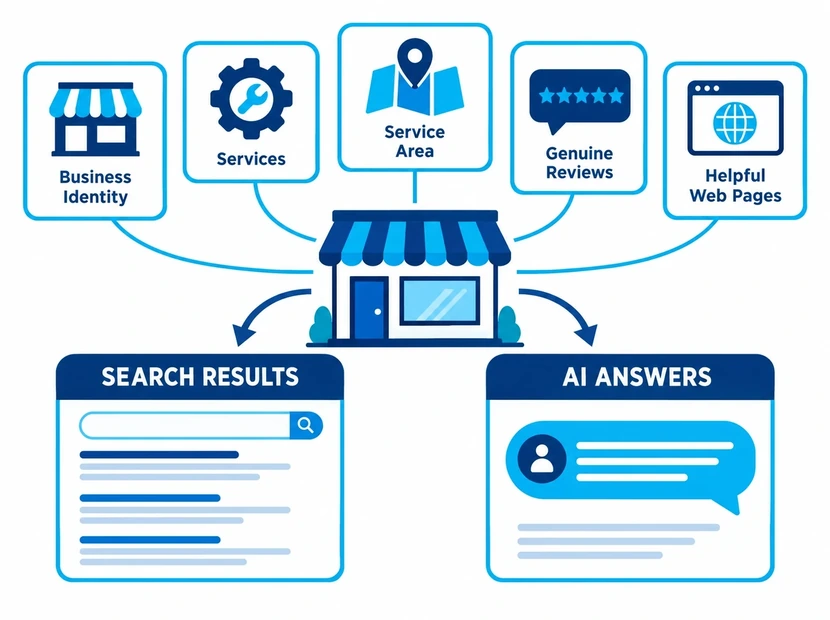
Using AI at work and being found in AI search results are separate questions. For visibility, keep business details accurate, explain services clearly, and publish useful evidence of your work. Our Dallas AI Overviews guide covers that subject in more detail. Google’s current guidance says normal search fundamentals remain relevant; special AI markup is not required.
Reduce office work and make reports easier to check
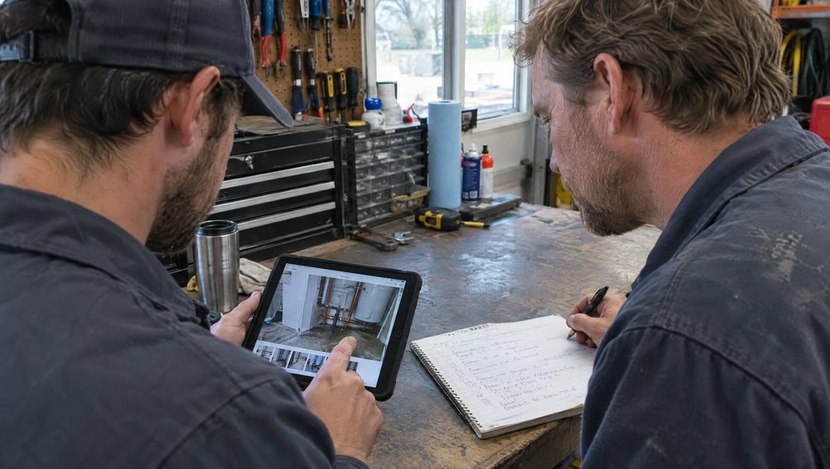
AI can help employees find information, prepare handover notes, and organize records. Start with a small, maintained set of documents. An internal assistant answering policy questions needs the current policy and a way to show where its answer came from. Someone must remove old versions when rules change.
After a meeting or job visit, an assistant can prepare a list of decisions, open questions, responsible people, and dates. Ask it to mark missing information rather than fill gaps. The employee who attended the meeting or visited the property should check the record before others rely on it.
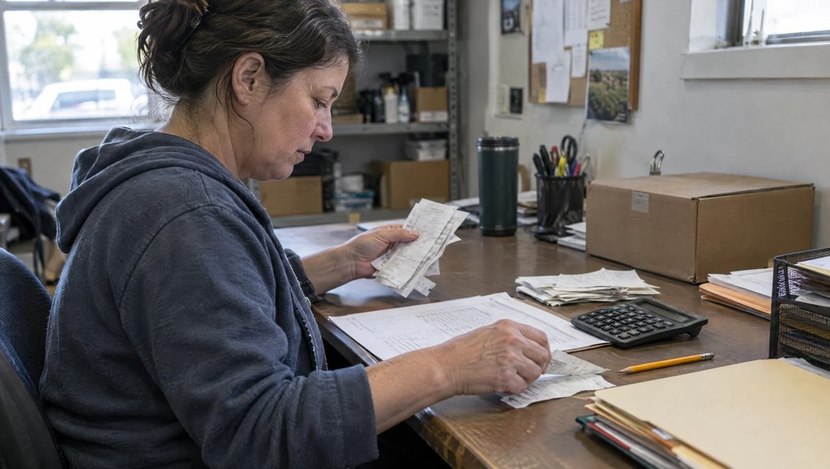
For finances, begin with preparation that your bookkeeper can verify: organizing receipts, drafting an overdue-payment reminder from confirmed records, or explaining a report in plain language. Check customer names, invoice numbers, amounts, and payment status against the original system. Stop reminders after payment and route disputed bills to staff.
A weekly report might bring together inquiries, booked jobs, completed work, and outstanding invoices. Decide what each column means before asking AI to summarize it. A deposit is not the same as the full job value, and a booking is not necessarily completed revenue. Check totals in the accounting system; a plausible written explanation does not validate the arithmetic.
Leave tax treatment, lending, unusual accounting entries, and other professional judgments with qualified people. Measure how long preparation takes and how many corrections are needed. If the tool repeatedly misreads documents, improving the source records or using a simpler import may be the better first fix.
Where should your type of business start?
These example starting projects can be adapted to your business. Choose one that matches the work you already do. You do not need to adopt every use described for your industry.
| Business | A useful first project | Keep a person responsible for |
|---|---|---|
| Landscaping | Turn site notes, customer priorities, and supplied measurements into an estimate checklist | Measurements, plant/material choices, site conditions, and pricing |
| Painting | Prepare a reply and draft scope from room photos and estimator notes | Surface condition, preparation, quantities, price, and start dates |
| Residential or commercial cleaning | Collect property type, service needs, access details, and preferred visit times | Special conditions, access arrangements, final quote, and scheduling exceptions |
| Plumbing or HVAC | Organize incoming requests and help arrange permitted appointments | Diagnosis, urgent/safety concerns, dispatch decisions, and uncertain availability |
| Law firm | Gather basic contact details and the broad reason for a consultation | Intake policy, conflicts process, confidential records, legal advice, and acceptance of a matter |
| Private investigator | Organize an authorized client’s supplied documents into an index for review | Lawful purpose and access, accuracy, investigative conclusions, and reports |
| Driving school | Answer approved course questions and help book eligible lessons | Unusual eligibility questions, exceptions, and booking problems |
| Ecommerce retailer | Answer product questions using catalog data and request missing fit details | Uncertain compatibility, exceptions, refunds, and costly purchasing decisions |
For a landscaper, the first useful output may be a complete checklist rather than a customer-ready quote. For a commercial cleaner, it might be a walkthrough request that collects enough information to arrange a site visit. Both can measure time to prepare an accurate next step and the number of missing details staff have to chase.
A law firm or investigator should start with approved administrative material and suitable access controls. A general-purpose account is not automatically appropriate for confidential case files. The professional responsible for the work must decide what information can be used and what needs their review.
Construction and remodeling businesses may have additional needs around bidding and project records. See our guide to AI for Dallas construction businesses for a wider set of topics, while keeping engineering, safety, and site decisions with the qualified people responsible.
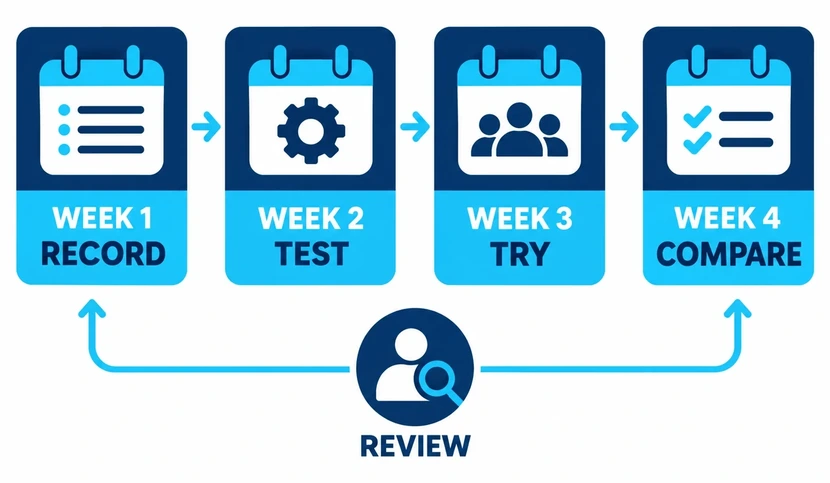
Build a 30-day plan around one measurable result
Once a simple task proves useful, give a more connected project a defined trial. Pick one owner for it and one result that matters. “Reduce time spent preparing checked estimates” is specific enough to test. “Use more AI” is not.
Week 1: record the starting point
Map what happens from request to finished work. Identify the applications involved, the information staff need, and the exceptions they handle. Record a recent, comparable sample: inquiry volume, response time, appointments, completed jobs, mistakes, and staff time.
If you do not have a starting figure, begin collecting it. Do not manufacture a baseline from memory. Write down the definition of each outcome: a completed checkout, a paid lesson signup, or an accepted estimate. A website click, form submission, and completed sale belong in different columns.
Week 2: prepare information and test the difficult cases
Create the approved business information sheet and remove conflicting copies. Define exactly what the assistant may read or change. Connect only what the selected task requires. Have staff run test requests before customers rely on it.
Include an address outside your service area, a missing price, a full calendar, a duplicate request, a cancellation, and someone asking for a person. Check the record created after each test. A pleasant answer on screen is not enough if it leaves the wrong appointment in the calendar.
Week 3: run a limited trial
Start with one team, one kind of request, or a limited period of the day. Review conversations and records daily at first. Tell staff who handles exceptions and how to pause the system. Ask customers whether they got the help they needed when you have an appropriate opportunity to follow up.
Keep a short issue log: what happened, what the correct action was, who fixed it, and whether the fix passed a repeat test. If the same problem keeps returning, narrow the task before expanding usage.
Week 4: compare and decide
Compare the same measures and include setup, subscriptions, checking, and repairs. Look at inquiry quality and volume so a seasonal change is not mistaken for a software improvement. Decide whether to continue, adjust, or stop, and record the reason.
Copy this scorecard into a spreadsheet:
| Measure | Before the trial | During the trial |
|---|---|---|
| Dates and type of work included | Record period and scope | Use a comparable scope |
| Qualified inquiries | Count using an agreed definition | Apply the same definition |
| Completed outcome | Purchases, signups, or accepted estimates | Count that same outcome |
| Staff time | Include all steps | Include review and corrections |
| Errors and complaints | Record the problems | Record severity as well as number |
| Total cost | Existing cost for the task | Add software, setup, usage, and support |
If you measure conversion, define the denominator as carefully as the completed action. Purchases divided by all sessions is a different measure from purchases among chat users. Chat users may already have more buying intent, so comparing them with everyone else does not by itself prove that chat caused the difference.
Keep information current and make human help easy
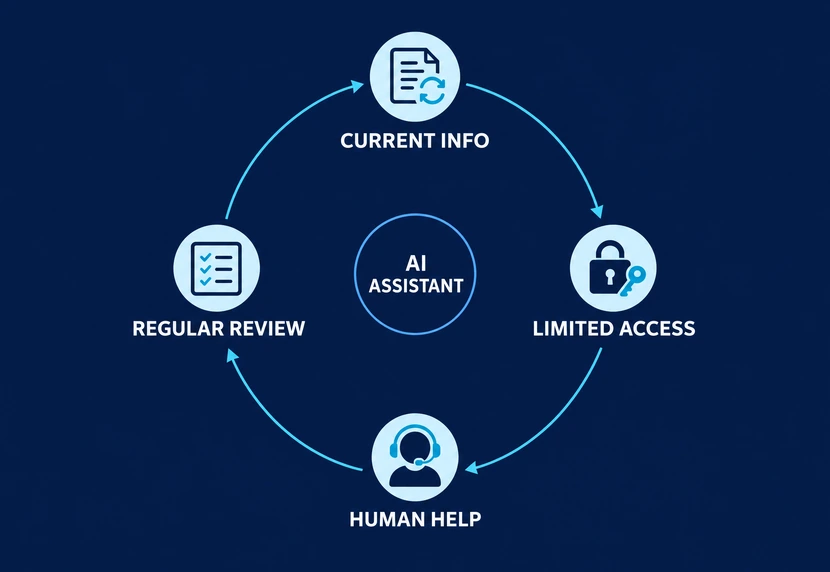
Before turning on a customer-facing system, assign responsibility for its information. Changing a price in one document is not enough if an old file remains connected. Set a review date and update the assistant when hours, service areas, staff responsibilities, or policies change.
Use these checks during setup and whenever the system changes:
- Information: Can it answer from current approved material and acknowledge missing details?
- Access: Can it see only the records needed for this job? Can departing staff lose access promptly?
- Actions: Which messages, calendar changes, or record updates can it make, and which need approval?
- Customer help: Can a person take over with the conversation and details intact?
- Failure: What happens when a connection stops working, the calendar is unavailable, or the answer is uncertain?
- Review: Who checks mistakes and confirms that fixes work?
These concerns also appear in small-business discussions about AI customer support, including outdated answers and difficult handoffs. Forum accounts are useful questions to investigate, not proof of a product’s reliability.
For an initial exercise, use invented information. Before using actual customer or staff records, review your organization’s rules and the provider’s settings, retention, permissions, and connected-app terms. Paid individual plans and managed business plans can handle data differently. Limiting model training is only one consideration; it does not settle access, storage, or professional confidentiality requirements.
Make the customer’s status clear: question answered, request submitted, or appointment confirmed. Do not leave them guessing what has happened. A dependable way to reach a person belongs in the process from the beginning.
Where can a Dallas business owner get help learning AI?
Bring one example of work you want to improve, the software you use, and a rough budget. Different resources suit different levels of help. The following organizations are independent resources; listing them does not imply a partnership with Bless.
- For a specific AI question: The Dallas Regional Chamber’s AI Office Hours offers free, one-hour virtual consultations. Its program information says membership is not required. Ask about a practical problem, such as what to test when crews miss calls while working. Check the booking page for availability; a consultation is not a software installation.
- For beginner or staff training: Dallas College’s Ascend Global Training Institute lists introductory and business AI training. Ask which course fits your team and confirm the dates and cost; the catalog does not publish an AI course price.
- For help with the business decision: The Dallas Metropolitan Small Business Development Center offers confidential business counseling at no charge. Its listed areas include planning, marketing, accounting, and management. That can help you clarify the problem and budget before buying software.
- For formal study: UT Dallas’s AI Strategy for Business graduate certificate covers business applications, strategy, and responsible governance. It has admission requirements and graduate tuition; it serves a different need from a short beginner workshop.
Resource details were checked in September 2026. Confirm availability and terms directly. You can learn a basic staff-reviewed task yourself and seek implementation help later when calls, calendars, and customer records need to work together.
When should you hire help with AI implementation?
Outside help becomes useful when the work crosses several applications, affects customers without a person checking every step, or needs maintenance your staff cannot reliably handle. Ask a provider to show a normal request and a difficult one using your business rules.
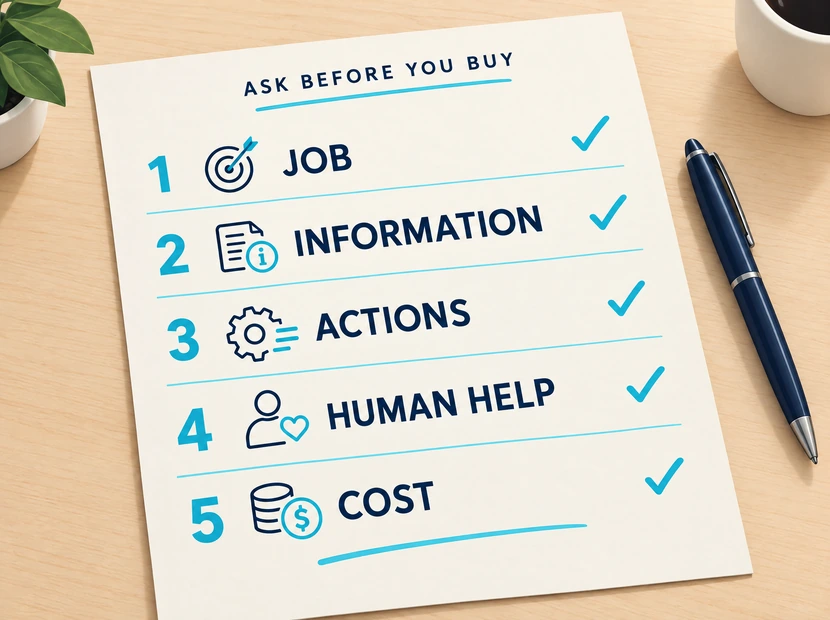
Bring this checklist to the conversation:
- What exact task will the system complete, and what remains with our staff?
- Which software and information does it need, and who controls those accounts?
- Can it confirm bookings or only collect requests?
- How will staff take over, and what happens when a connection fails?
- What are setup, monthly, and higher-usage costs?
- Who updates it, reviews errors, and measures results after launch?
Bless Web Designs offers Dallas Business AI™, including website assistants, AI phone answering, booking and follow-up, customer-record automation, document and reporting help, and staff training. Work should begin with a defined business problem and a clear scope. Product choice, connections, permissions, and support depend on the job; a good proposal should make those details explicit.
Questions owners ask before starting
Can I use AI without knowing how to code?
Yes. Drafting, summarizing, and organizing supplied information can start with ordinary written instructions. Connecting customer-facing systems is a separate task that may need configuration or technical help. Start with something you can personally check.
What is the easiest first use for a one-person business?
Try a repeated reply, a job-note checklist, or a draft follow-up message. Use approved facts and review the result before sending. A solo owner can benefit from preparing work faster without immediately automating customer conversations.
Do I need to replace my website or current software?
Often you can work with what you have, but it depends on the connections and actions those systems support. Ask for a demonstration using your actual website, calendar, and customer software before agreeing to a larger change.
Can I start for free?
You can try the fictional reply exercise on a suitable free plan, subject to its limits. Running an assistant for customers may involve subscriptions, usage, setup, and ongoing work. Separate the cost of learning from the cost of a dependable business process.
Will AI let me reduce staffing?
Measure the workload first. It may free employees to serve customers, follow up, or complete other work. Include the people needed for checking, exceptions, and maintenance. Do not assume a tool’s advertised hours saved will translate into an equivalent payroll saving.
How do I choose the next project?
Expand after the first project produces a useful result and staff can maintain it. Choose another repeated task with reliable information and a clear outcome. Keep the same discipline: define the job, test it, check it, and decide from the results.