





Home / Functional Web Design / Web Design / 10 Mistakes Smart People Make When Hiring a Web Designer (And How to Avoid Them)
 Inspired by
 Key Takeaways
- Choosing a web designer based on value is better than choosing based on the lowest price.
- A detailed project plan is necessary to keep the work on schedule and within budget.
- Always check a designer’s past work and client reviews before making a hiring decision.
- The website must be built to work well on mobile phones and be easy to find on search engines.
- Plan for website maintenance after the launch to keep the site secure and up to date.
Hiring the Right Website Designer to Build a Site That Actually Works
Finding the right freelancer web designer for your business can be a big job. You know your company well and understand that a new website is needed for growth. The process of hiring a web designer can be difficult, and it is easy to make mistakes. A wrong choice can lead to a wasted budget, missed deadlines, and a website that does not bring in new customers.

We want to help you with the hiring process. Here, we explain ten common mistakes that people make. We will also show you how to avoid these problems. Bless Web Designs helped many clients find success. We believe an informed client makes the best solutions and decisions. Our company wants to make the hiring process clear for you to find the right professional for your team.
Mistake 1: Focusing Only on the Lowest Price
Many people begin the search for a web designer by looking for the lowest price. It is a common belief that spending less on a website leaves more money for other parts of the business. This approach seems logical, but it often leads to problems. A website is a central part of your company, and a low price can have hidden costs that hurt your business in the long run. Quality web design is an investment in your company’s future.

The Problem With Cheap Web Designers
A cheap website can do more harm than good. It is often the first interaction a person has with your business, and a poor experience can make them leave and never come back. These websites are typically built on a weak foundation that hurts your ability to grow and attract the right customers. A cheap site may save you money today, but it can cost you many clients tomorrow.
- A poor first impression – A website that looks cheap can make your whole business seem unprofessional.
- It may not work on phones – Many low-cost websites are not properly built for mobile phones, where most users will see your site.
- No help with search engines – These sites often ignore basic SEO, which means it is harder for Google to find you.
- You do most of the work – With certain cheap platforms, you are the one spending time on the design and development, not running your business.
These issues show that a low-cost website is often not a good choice for serious businesses. The initial savings are not worth the lost opportunities and the unprofessional image it creates for your company.
How to Think About Your Website Budget
It is helpful to see your website not as a cost, but as an investment. A good website should make money for your business by attracting new clients and showcasing your expertise while supporting your goals. When you think about your budget this way, the focus changes from finding the cheapest option to finding the best value for your growth.
- Connect the budget to your goals – A site for selling products online needs a different budget than a simple portfolio website.
- Consider the long-term value – A good website works for you for years, so the upfront price is only one part of its total worth.
- Ask what the price includes – A clear quote should list everything you get, from design and development to launch day support.
- Plan for your future needs – Your business will grow, and your website should be able to grow with it easily.
Setting the right budget is a key step in planning for success. It ensures your website has the quality and features needed to help your business reach its goals, instead of just being a simple expense.
Mistake 2: Hiring a Pure Artist Over a Business Problem Solver
A common mistake is to hire a web designer based only on their artistic style. Business owners see a beautiful or creative website and assume that a designer is a right fit. While looks are important, a ui ux designer can ensure the business website has a job to do. It needs to attract customers and help your company grow. The right professional understands that good design is a tool that serves business goals.

The Difference Between Graphic Design and Web Design
It is useful to know that web design for a business is different from pure graphic design. A graphic designer often focuses on creating a visual that looks good. A business website needs more than that. It must be easy for visitors to use and guide them to take specific actions, like making a purchase or contacting you. A good design using effective design tools helps people solve their problems on your site.
- A focus on looks – An artist might only be concerned with making the website look unique or following the latest design trends.
- A lack of business focus – They may not understand that the main purpose of your website is to help your business make money.
- Confusing for the user – The website might look nice, but be hard for visitors to find what they need, like your services or contact information.
- Awards are not customers – Some designers want to create an award-winning design, but that design might not help you get new business.
A website must look professional, but its design should always be focused on the user. The most important job of a business website, including its color schemes, is to be a helpful tool for your customers and your company.
How to Find a Results-Focused Web Designer
The best web designers are interested in your business, not just the colors and pictures on the screen. They ask questions about your goals, your customers, and what you want to achieve with your new website. This shows they are thinking about how to build a website that brings you real results.
- They ask about your business goals – A professional designer will want to learn about your company and what success looks like for you.
- They talk about user experience – They will use words that show they are thinking about how visitors will use the site, not just how it looks.
- Their process includes marketing – The right web designer or design agency has a plan to understand your target audience and what they need from your website.
- Their portfolio is clear and effective – When you look at their past work, the websites should seem simple to use and focused on helping a customer.
Look for a partner who wants to help your business succeed. A good web designer uses their skills to solve problems and create a website that helps you grow, making them a valuable part of your team.
Mistake 3: Not Defining the Project Details
A web design project needs a good plan to be successful. Without a detailed plan, the project can easily lose direction. Not having a good plan is one of the biggest reasons for problems between a client and a web designer. Agreeing on all the details from the beginning helps make sure the final website is exactly what your business needs.

Why an Unclear Idea Causes Big Problems
When a project starts with just a general idea, it can lead to many issues. The project can keep growing as new requests are added during the development process. This can create problems that affect the timeline and the final cost of your new website.
- It creates confusion – When the plan is not firm, the designer might build something very different from what you expected.
- It causes project delays – Adding new pages or features after the work has started can push back your launch date.
- It raises the final cost – A web designer will usually charge more for any work that was not part of the first agreement.
- It causes frustration – Unclear expectations are a common reason for disappointment and arguments during a web design project.
A detailed project plan acts as a guide for everyone involved. It helps the designer understand what to build and lets you know exactly what to expect from the development process.
Creating a Detailed Project Plan
You have an important part to play in creating the project plan. Before you hire a web designer, take some time to think about what you need. When you can give your designer a complete idea of your goals, they can give you a much more accurate proposal and timeline. This simple planning step helps prevent the most common project problems.
- List your main business goals – Explain if you want the site to find new leads, sell products, or provide information to your customers.
- Describe who will visit your site – Know who your website is for so the designer can create an experience that works for them.
- Outline the pages you need – Make a basic list of pages you want, such as a Home page, an About page, and a Contact page.
- Note any special functions – Mention if your new website will need anything like a blog, a photo gallery, or an events calendar.
Taking the time to define your project details is one of the best things you can do. It helps you get a fair price and helps your web designer deliver the right website for your business on time.
Mistake 4: Skipping the Due Diligence Process
Due diligence is the term for doing your homework before making a big decision. When hiring a web designer, this step is very important. Some business owners get excited about a designer’s portfolio and hire them without checking their background. Taking the time to properly research a designer’s pricing before you hire them is a safe way to avoid problems later on.

Looking Past the Portfolio Pictures
A designer’s portfolio is a collection of their work. It is often the first thing a potential client looks at. The problem is that a portfolio can sometimes be misleading. Designers will only show their very best projects, not their average ones. To understand the real quality of a web designer’s work, you have to check other things.
- They only show their best projects – A portfolio will not include information about their average work or any projects that had problems.
- You do not see the real website – A picture in a portfolio cannot tell you if the actual website is easy to use or works correctly.
- The work could be old – Some designers might show work from years ago that does not show the quality of their current skills.
- Their role might be small – On a big project with a large team, a designer may have only created one part of the site, not the whole thing.
A portfolio is a good place to begin your research, but it is not enough to make a final choice. It only shows you one part of the story, the part the designer wants you to see. To make a good hiring decision for your company, you need to get more information about their work habits, their communication with clients, and the real results of the websites they have built.
A Checklist for Checking Web Designers
Using a simple checklist can help you properly check a web designer’s skills and history. This process will give you more confidence that you are choosing the right person or company for your project. A little bit of research now can save you from big headaches down the road.
- Read online reviews from clients – Look up the web designer on review sites to see what their past clients have said about them.
- Look at the live websites they built – Do not just look at pictures. Visit the actual websites they list in their portfolio to test them yourself.
- Ask to talk with their past clients – A professional designer should be happy to give you a few references you can contact.
- Review the designer’s own website – The web designer’s own business site should be professional and well-made.
This extra work at the beginning of the hiring process might seem slow, but it saves a lot of time and money in the long run. It helps you avoid unqualified designers and protects your investment in a new website. Taking these steps is the best way to confirm you are hiring a true professional who can deliver the results your business needs.
Mistake 5: Overlooking the Importance of SEO
SEO stands for Search Engine Optimization, an important part of digital solutions. It is the work that helps search engines like Google find your website and show it to people searching for your services. Many business owners believe that once their new website is live, customers will automatically start to find it. This is usually not true. A website needs to be built in a way that is friendly to search engines from the very beginning.

A Beautiful Website No One Can Find Is Useless
Your website is a main tool for your business, but it can only work if people can find it. Having a website without SEO is like opening a new store but not telling anyone its address. Good web design includes planning for SEO from the start of the project. It should not be something that is added on after the site is already built.
- SEO is part of the building process – It is much harder and less effective to add SEO to a finished website than it is to plan for it from day one.
- It affects how your site is built – A website that is good for search engines needs a logical page layout and clean code, which happens during design and development.
- Website speed is important for ranking – How fast your website loads is a key part of SEO, and a designer’s choices affect the site speed.
- The words on your site matter – The text and titles used on your website are very important for SEO and should be planned with your designer.
The main point is that a website’s success depends on people being able to find it. Ignoring SEO is like building a car with no engine. The car may look good, but it will not take you anywhere. SEO is a necessary part of a modern business website, not an optional feature.
How to Ensure Your Designer Cares About Search Engines
You do not need to be an SEO expert to hire a good web designer. You just need to know how to check if the designer you are considering understands the basics of SEO. The goal is to see if making a site visible on Google is part of their normal process. This is done by asking a few simple questions.
- Ask about their SEO methods – A professional designer should be able to explain the steps they take to make a website easy for search engines to read.
- See if they mention keywords – They should talk about helping you choose the right words and titles for your pages to attract customers.
- Inquire about website speed – Ask them what they do to make sure the websites they build are fast and work well for users.
- Look for SEO in their proposal – A professional project plan for a business website should list on-page SEO as part of the service.
When you hire a web designer, you are building a tool to help your business grow. A very important job of that tool is to be easy to find online. Confirming that your designer has a plan for SEO is a necessary step to protect your investment and make sure your new website can actually reach new customers.
Mistake 6: Ignoring the Mobile Experience
Most people who visit your website will use their phone, not a desktop computer. A website that is hard to use on a mobile device can frustrate and drive away a large number of potential customers. A high-quality web design must work perfectly on phones. This is a basic requirement and essential tools for any modern business that wants to succeed online.

Most of Your Customers Are On Their Phones
A website that is not made for mobile creates a bad experience for your visitors. They have to pinch their screen to zoom in and out, the text is hard to read, and the buttons can be too small to press accurately. This is a big problem because Google now uses a “mobile-first” approach to ranking sites. This means that websites that work well on phones will show up higher in search results.
- It makes visitors frustrated – People will quickly leave a website if it is difficult to navigate or read on their phone.
- It hurts your search engine rank – Google gives preference to websites that offer a good experience to mobile users.
- It makes your business look old – If your website does not work well on a phone, it can make your company seem outdated.
- You will lose customers and sales – Visitors will go to a competitor if they cannot easily find your services or buy your products on their mobile device.
The way people use the internet has changed. The mobile experience is now the standard experience for most of your audience. A business that ignores its mobile website is choosing to ignore most of its potential customers. A mobile site is a direct way to serve your audience and protect your investment.
How to Test for High-Quality Web Design on Mobile
Checking for good mobile design is a simple task that you can do yourself. Before you hire a web designer, you should look at their past work on your own smartphone. This quick test will show you if they pay attention to the small but important details that create a good mobile website.
- Check their portfolio on your phone – Use your own mobile phone to look at the websites the designer has built for other clients.
- Make sure the text is easy to read – You should be able to read all the information on the page without needing to zoom in.
- Test the menu and all the buttons – The navigation should be simple to open and use, and buttons should be easy to tap with a finger.
- See if the site loads quickly – Mobile users are often impatient. A website should load in just a few seconds, or people may leave.
This simple five-minute check is a very good way to see if a designer builds high-quality websites. If the websites in their portfolio are not easy to use on a phone, the new site they build for your business will probably have the same problems.
Mistake 7: Choosing a Designer With Poor Communication
A web design project requires a lot of conversation between the client and the designer. Good communication skills are just as important as good design skills. A designer who is hard to contact or who does not explain things well can make the entire project stressful. When you hire a web designer, you are also choosing a communication partner for the next several weeks or months.

Why a Lack of Communication Kills a Project
Bad communication can turn an exciting project into a frustrating one. It can mean slow replies to your emails, missed meetings, or updates that are not easy to understand. This creates uncertainty and can make you feel that your project is not important to the designer. Consistent and clear communication is a sign of a professional and well-managed process.
- It can cause project delays – When a designer does not answer questions in a timely manner, it can prevent the project from moving forward.
- It may lead to mistakes – If a designer does not listen carefully to your feedback, they may build something the wrong way, which costs time to fix.
- It can create distrust – Long periods of silence from a designer can make a client worry about their project and their investment.
- You do not know what is happening – A client should always have a general idea of the project’s status, what has been completed, and what is next.
Communication is the foundation of a good working relationship with any designer or web design agency. Without it, even a very skilled designer can provide a bad experience for their clients. Good communication shows respect and is a key part of a professional service.
Setting Communication Expectations From Day One
The best way to avoid problems is to talk about the communication plan before the project begins. Setting expectations early for how you and your designer will talk helps keep everyone on the same page. This simple conversation prevents most of the common frustrations that clients experience during a web design project.
- Agree on a main contact person – There should be one specific person on each team who is responsible for sending and receiving information.
- Discuss how you will communicate – Decide if you will use email, phone calls, or a project tool to share updates.
- Set a schedule for regular updates – Agree on how often you will hear from your designer, such as a simple email every Friday.
- Ask about their typical response time – It is fair to ask how long you should expect to wait for a reply to an email or a phone call.
This upfront conversation is very important because it sets the tone for the whole project. It shows that you expect clear updates and to be treated like a partner. A professional web designer will welcome this talk and should already have a good communication system in place for their clients.
Mistake 8: Not Getting a User–Friendly CMS
A CMS, or Content Management System, is the tool that allows you to make changes to your website without knowing how to code. You can use it to update text, add pictures, or post a new blog entry. Some web designers build websites that do not have a user-friendly CMS. This can lock you out of your own site and force you to rely on the designer for every small update.

What Is a CMS and Why Should You Care
Without a good CMS, managing your website can be very difficult. Imagine having to call a developer and pay a fee for every small change you want to make. This process is slow, costs extra money, and keeps you from managing your own business information in a timely way. Your website should be easy for you to control.
- You depend on your developer – Without a CMS, you must contact your designer for every change, even for a simple typo.
- It costs you more money – Some designers may charge a fee every time you need an update, which can become very expensive over time.
- Updates are much slower – A change that could take you five minutes might take days for a busy designer to complete for you.
- Your site content gets old – If making updates is hard, you will likely do it less often, causing your website information to become outdated.
A website is a living part of your business that needs to be updated regularly. A good CMS gives you the control to make these changes yourself, saving you time and money. It is an essential tool that helps you keep your website content fresh and useful for your visitors.
How to Make Sure You Can Update Your Own Site
Before you hire a web designer, you should ask how you will be able to manage the website after it is built. You should ask to see the “backend,” which is the name for the control panel where you will make your updates. This is a very important part of the project that many clients do not think to ask about.
- Ask what platform they use – A designer should tell you if they use a common CMS like WordPress or another type of platform.
- Request a demo of the backend – Ask the designer to show you what the backend of a website they built for another client looks like.
- Check if it looks simple to use – The control panel should look organized and be easy to understand, not like a screen full of code.
- Confirm it is included in the project – The written proposal should say that a user-friendly Content Management System is part of the final website.
The backend of your website is just as important as the frontend that your visitors see. It affects how you will manage your online business every day. Checking on the CMS before you hire a designer helps make sure you will get a website that you can truly own and control.
Mistake 9: Signing an Unclear Contract
The contract is one of the most important parts of your web design project. The contract is not just a formality for a website designer. It is the official agreement that protects both you and your web designer. Signing a contract that is not detailed or is hard to understand can lead to major disagreements about payments, deadlines, and the final product. A good contract makes sure everyone has the same expectations.
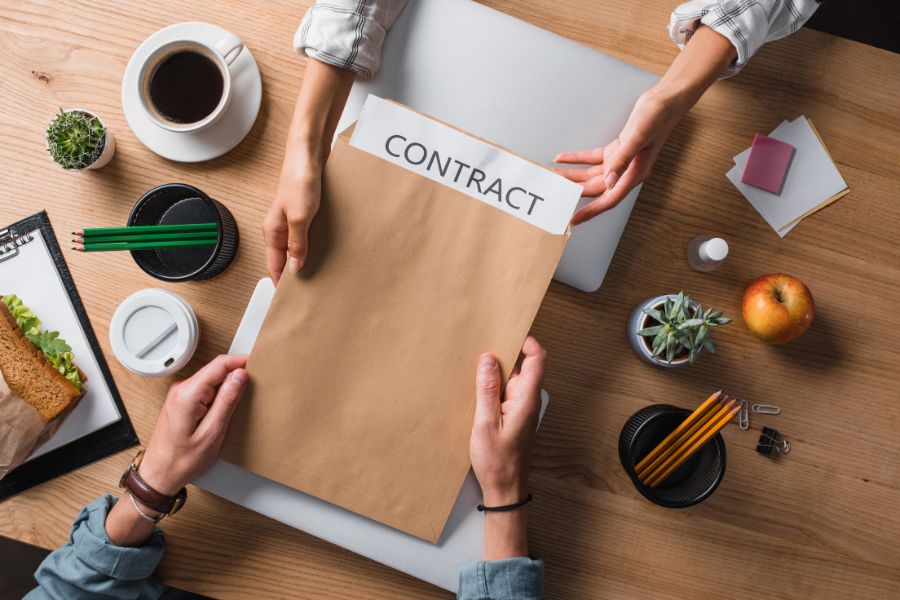
Your Contract Is Your Project’s Safety Net
Working without a detailed contract is risky. It leaves too much room for misunderstandings that can damage your relationship with the designer. A proper contract removes confusion by writing down the rules for the project. It covers common problem areas like payment schedules, website ownership, and how many design changes are allowed.
- It can cause payment problems – A contract should have a clear payment schedule so there is no confusion about when payments are due.
- It leaves website ownership in doubt – A good contract must state that you own the final website files after the project is paid for.
- There is no limit on design changes – The agreement should say how many rounds of revisions are included to prevent endless requests for small changes.
- It does not define the final work – The contract should refer to the project plan to confirm exactly what the web designer will deliver to you.
The contract turns all your conversations and emails into a firm agreement. If there are any problems later on, it is the one document everyone can refer to. A professional designer will always insist on a detailed contract because it protects them just as much as it protects you, their client.
Key Items Every Web Design Contract Must Have
You should always read the entire contract carefully before you sign it. Do not just skim the document. It is important to look for specific items to make sure the agreement is complete and fair for your business. You should always feel comfortable asking your designer questions about any part of the contract that you do not understand.
- The total cost and payment dates – The contract must clearly state the full price and the specific dates or project stages when payments must be made.
- A project timeline with key dates – It should provide an estimated start date, dates for important milestones, and a target launch date for the website.
- A list of what you will receive – This section should list all the final items you will get, such as the website files and all necessary login information.
- Details on what happens if you cancel – The agreement should explain the process if either you or the designer needs to end the project early.
Take your time with this document. Spending an hour to read the contract is a very smart use of your time that can save you from big problems. If a designer pressures you to sign an agreement you have not read, that is a bad sign. A good partner will want you to feel completely confident in the agreement you make together.
Mistake 10: Having No Plan for After Launch
Many business owners believe a web design project is completely finished on the day the website goes live. They see the website as a one-time purchase. In reality, a website is a business tool that needs regular care and attention to continue working properly. Having a plan for what happens after launch is necessary to protect your website.

A Website Is a Garden, Not a Building
It is helpful to think of your website like a garden. A garden needs regular watering, weeding, and care to stay healthy and grow. A website is similar. The software it runs on needs to be updated, its security needs to be monitored, and its content needs to be kept fresh. If you leave it alone, especially in a changing industry, it can run into problems.
- Software must be updated – The platform your site is built on, such as WordPress, has regular updates to fix problems and improve performance.
- Security is an ongoing task – New security threats appear all the time, so your website needs active protection to stay safe from hackers.
- Regular backups are important – If your website ever has a major problem, a recent backup is the only way to get it working again quickly.
- Content needs to be current – You will want to add new information, services, or pictures to your site to keep it useful for your visitors.
Thinking that a website is “done” after it launches is a common and costly mistake. A website that is ignored can become slow, unsafe, or even stop working completely. A successful website is one that is actively managed.
Discussing Maintenance With Your Website Designers
The right time to talk about website maintenance is before you hire a designer, not after the site is built. This conversation helps you understand the responsibilities and costs that come with owning a professional website. It allows you to plan for the long-term health of your online business.
- Ask if they have maintenance services – Many web design agencies offer monthly or yearly plans to take care of all the technical needs of your site.
- Understand what the service includes – If they offer a plan, get a list of the services it includes, like software updates, security checks, and backups.
- Know the extra cost for this service – Ongoing maintenance is a separate service from the initial web design and will have its own price.
- Know who is responsible if you say no – If you decide not to buy a maintenance plan, you need to be clear about who will handle these important tasks.
This is a conversation about the total ownership of your website. A good designer will be honest about the need for maintenance because they want your website to be successful for a long time. Planning for this helps you set a realistic budget and makes sure your investment is protected.
How to Hire a Web Designer for Your Business
The process of hiring a web designer has many parts. It is not just about looking at prices and pictures. The most common mistakes happen when business owners rush the decision without a good plan. By avoiding the ten problems we have discussed, you can make a much better choice. It is important to check a designer’s work history, create a detailed project plan, and choose a partner who cares about your business goals.

Thinking about SEO, the mobile experience, and website maintenance from the start will also help you find a professional team. Choosing the right web designer who follows branding guidelines is about finding a long-term partner who can help you succeed online. They should be a company that communicates well and is focused on getting you real results.
Our professional team understands these points. We focus on clear communication and getting real business results for our clients. Contact Bless Web Designs today to talk about your new website.